

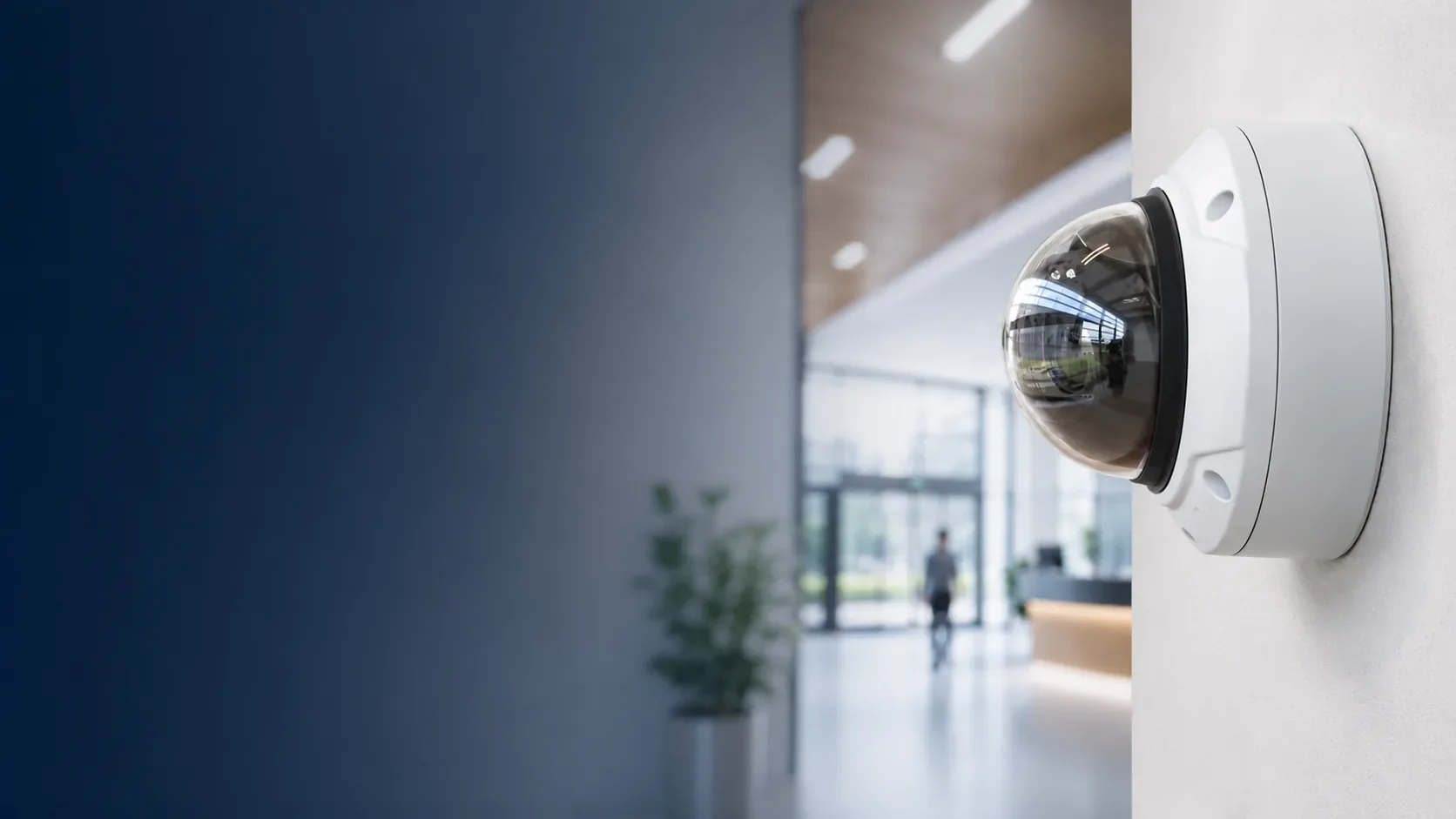
Security Camera Installation Queens
Professional CCTV, IP Cameras, PoE Surveillance & Video Recording for Queens Properties
Need security cameras for a Queens co-op, apartment building, condominium, store, office, or warehouse?
Impera Security Systems provides professional security camera installation in Queens, NYC, including IP cameras, PoE surveillance systems, compatible analog CCTV upgrades, DVR/NVR recording equipment, and remote viewing solutions.
We work with co-op and condo boards, managing agents, apartment building owners, multifamily landlords, retailers, offices, and commercial property representatives throughout Queens.
From Forest Hills apartment buildings and Long Island City condominiums to Flushing storefronts and Maspeth warehouses, we help owners select camera systems designed around their actual property.
Our services include camera placement planning, equipment selection, low-voltage cabling, camera mounting, recording configuration, authorized remote viewing, and testing.
Whether you need a few cameras covering an entrance or a larger system serving multiple buildings, we evaluate the viewing requirements, existing infrastructure, and recording needs before preparing a proposal.
✓ Licensed & Insured
✓ Certified Technicians
✓ Residential & Commercial
✓ 15+ Years Experience
Professional Security Camera Installation Services in Queens
The right surveillance system depends on the area you need to view and the footage you want to retain.
A co-op lobby may require a camera positioned to capture people entering the building.
A retail store may need coverage of its entrance, sales floor, and stockroom.
A warehouse may need cameras positioned for long viewing distances and loading operations.
We install suitable professional surveillance equipment for these different applications.
IP Security Camera Installation
IP cameras transmit digital video through compatible network infrastructure.
They are commonly used in modern residential and commercial surveillance systems.
Depending on the selected camera and recorder, supported features may include:
High-definition or 4K recording.
Indoor and outdoor surveillance.
Infrared night vision.
Wide-angle viewing.
Adjustable camera lenses.
Motion detection.
Person or vehicle classification.
Authorized remote viewing.
Video playback and export.
Selected event notifications.
Features vary by manufacturer and model.
High resolution does not automatically guarantee useful details at every distance. Lens selection, lighting, viewing angle, and mounting position are equally important.
PoE Security Camera Systems
Power over Ethernet (PoE) allows compatible IP cameras to receive power and transmit data through suitable Ethernet cabling.
A PoE surveillance installation may include:
IP cameras.
Cat6 or other suitable network cabling.
PoE switches or compatible PoE recording equipment.
Network video recorder.
Surveillance storage drives.
Network equipment.
Camera mounting hardware.
Recording and remote access configuration.
PoE can simplify installation by reducing the need for separate power outlets at camera locations.
However, switch capacity, PoE power budgets, cabling distances, and network requirements must be evaluated.
For larger buildings and properties with long cable routes, additional infrastructure may be required.
Indoor Security Cameras
Indoor cameras can provide coverage of approved entrances, shared spaces, offices, and commercial areas.
Common applications include:
Apartment building lobbies.
Vestibules.
Package and mailrooms.
Common hallways.
Office reception areas.
Retail sales floors.
Storage rooms.
Authorized commercial work areas.
Camera placement should be designed around the relevant activity and expected viewing distance.
Outdoor Security Cameras
Exterior cameras may be appropriate for building entrances, parking areas, commercial yards, loading areas, and other authorized outdoor locations.
Outdoor equipment should be suitable for the environment.
We evaluate mounting surfaces, weather exposure, cable protection, lighting, and viewing requirements before recommending equipment.
Night Vision and Low-Light Cameras
Queens properties may have poorly illuminated rear entrances, parking areas, or commercial yards.
Depending on the application, suitable cameras may use infrared illumination, low-light image sensors, or other supported features.
Nighttime performance depends on the camera, lens, lighting, distance, and configuration.
A general-purpose camera cannot be assumed to capture clear faces or license plates at night.
Fixed-Lens, Varifocal and PTZ Cameras
Different camera types provide different viewing capabilities.
Fixed-lens cameras may be appropriate for designated entrances and hallways.
Varifocal cameras allow the viewing angle to be adjusted to better frame a target area.
PTZ cameras can move and zoom to provide flexible views of larger spaces.
However, a PTZ camera does not continuously record every direction simultaneously.
We select camera types based on the actual coverage requirements.
Security Cameras for Forest Hills, Rego Park and Kew Gardens Co-ops
Queens has many established co-op buildings with shared entrances, lobbies, and common areas.
These properties may need new surveillance equipment or upgrades to older analog camera systems.
A co-op project often involves board approval, management coordination, and decisions about who can access footage.
Lobby and Main Entrance Cameras
A camera covering the main entrance can help provide recorded footage of visitors and building activity.
Depending on the layout, one camera may offer general lobby coverage while another provides a more detailed view of the doorway.
The appropriate arrangement depends on the entrance configuration and intended purpose.
Package Room and Mailbox Cameras
Package storage and delivery areas are common surveillance requests.
A useful camera should cover the area where packages are actually received or stored.
Important considerations include:
Location of the package area.
Camera viewing angle.
Lighting.
Shelving and obstructions.
Image detail.
Recording retention.
Access to recorded footage.
Cameras may help document activity but do not guarantee that missing packages will be prevented.
Elevator Building Surveillance
A larger co-op may need cameras covering selected common spaces, including lobbies, corridors, entrances, and approved elevator-related locations.
Camera installation inside elevator cabs may require specialized arrangements or coordination with a qualified elevator contractor.
Such work is not automatically included in a standard CCTV proposal.
Co-op Board Approval
Before installing cameras, a board may need to evaluate:
Proposed camera locations.
Device quantities.
Recording equipment.
Storage capacity.
Estimated retention period.
Remote viewing options.
User permissions.
Wiring routes.
Building access requirements.
Installation costs.
Applicable software fees.
Warranty terms.
We prepare written installation proposals describing the selected equipment and relevant work.
Security Systems for Co-op & Condo Boards NYC
Security Cameras for Queens Garden Apartment Complexes
Garden-style residential complexes can have several buildings, separate entrances, shared courtyards, walkways, and parking areas.
Surveillance planning across multiple buildings requires careful evaluation of distances, power, network infrastructure, and recording arrangements.
Multiple Building Entrances
Each building may require cameras covering its main entrance or other approved access points.
The correct placement depends on the doorway and surrounding layout.
A camera covering a shared courtyard may not provide sufficient detail at every separate entrance.
Courtyard and Walkway Coverage
Common walkways and shared exterior areas may need suitable surveillance.
Camera locations should account for landscaping, lighting, obstructions, and neighboring residences.
The owner or authorized management should approve the intended field of view.
Parking and Garage Cameras
Parking areas may require cameras positioned to cover approved entrances, vehicle movement, and selected shared spaces.
For useful vehicle detail, lens selection and viewing angle are important.
A wide-angle camera may show general activity without capturing readable license plates.
Connecting Cameras Across Multiple Buildings
Cameras installed in separate buildings may require individual network connections, local recorders, or a suitable shared infrastructure.
Depending on the distance and property layout, connecting buildings may require fiber, approved wireless links, additional switching, or other appropriate solutions.
It is not always practical to connect every building to a single recorder using ordinary Ethernet cables.
The proposed design must account for supported cable lengths, networking, power, and recording capacity.
Centralized Viewing
Certain compatible surveillance platforms allow authorized managers to view cameras from several buildings.
However, one shared application or recorder for every building is not guaranteed.
The available arrangement depends on the selected equipment, network connectivity, software platform, and user permissions.
Phased Camera Installation
For certain complexes, the work may be organized by building or area.
This can help management coordinate installation access and equipment changes.
The sequencing depends on the existing system and proposed network or recording design.
CCTV Installation for Long Island City Condos and Offices
Long Island City includes newer residential buildings, condominiums, offices, and mixed-use developments.
These properties may require network-based surveillance systems with multiple cameras and controlled viewing permissions.
Condominium Lobby Cameras
A condominium may need cameras covering the lobby, package room, selected entrances, and approved common areas.
Camera selection should reflect the intended coverage and lighting conditions.
Concierge and Front Desk Viewing
Certain buildings may want authorized staff to view selected camera feeds from a compatible monitor or workstation.
Depending on the system, different users can be assigned appropriate access permissions.
The exact configuration depends on the recording platform.
Garage and Parking Area Surveillance
Parking garages can present challenging lighting conditions, especially near vehicle entrances.
A suitable camera arrangement should consider changing light, viewing distances, and obstructions.
Vehicle detail or license plate capture requires evaluation of the specific location and equipment.
Office Camera Systems
Professional offices may need surveillance at entrances, reception areas, and authorized common spaces.
The system should be selected according to the office layout, recording requirements, and any landlord or building IT restrictions.
Network and Recording Infrastructure
Larger properties may require additional PoE switches, recorder capacity, storage drives, and network configuration.
We evaluate the infrastructure before recommending a system.
Camera Installation for Astoria, Sunnyside and Woodside Properties
Astoria, Sunnyside, and Woodside contain smaller multifamily houses, apartment buildings, shops, and mixed-use properties.
Camera requirements may be relatively simple or involve several entrances and recording locations.
Two- and Three-Family Homes
A small multifamily property may want cameras covering:
Front entrance.
Shared vestibule.
Side entrance.
Driveway.
Rear entrance.
Other authorized exterior areas.
The appropriate number of cameras depends on the layout.
We evaluate camera locations and possible cable routes before recommending equipment.
Apartment Building Entrances
An older walk-up may need a camera covering the entrance and package area.
Depending on existing infrastructure, a compact local NVR may be appropriate.
Mixed-Use Buildings
A property containing retail space and residential apartments may need separate cameras for commercial and residential entrances.
The system should account for the building's distinct access arrangements and approved camera locations.
Existing Wiring in Older Buildings
Some Queens properties have coaxial cables serving older analog cameras.
Suitable wiring may be reusable with certain compatible upgrades.
Other installations require new Ethernet or power wiring.
The existing equipment must be evaluated before reuse can be confirmed.
Historic District Considerations
Some properties in Sunnyside Gardens and Jackson Heights are located within designated historic districts.
Exterior camera mounting and wiring changes may require NYC Landmarks Preservation Commission review.
Property owners should verify landmark status and obtain applicable approvals before altering protected exterior features.
Commercial Security Camera Installation Flushing and Jamaica
Queens has extensive retail and commercial activity in neighborhoods such as Flushing, Jamaica, Elmhurst, and surrounding business corridors.
A commercial surveillance system should be designed around how the business operates.
Retail Store Cameras
A retail store may need cameras covering:
Main entrance.
Sales floor.
Cashier area.
Stockroom.
Delivery entrance.
Rear exit.
Other authorized operational spaces.
The installation should provide useful views of the intended locations rather than relying on one camera to cover the entire store.
Checkout and Point-of-Sale Areas
Some businesses want surveillance near registers or service counters.
Camera positioning should account for lighting, viewing angle, and the level of detail required.
The proposed equipment should also respect applicable privacy considerations.
Restaurant Security Cameras
Restaurants may need surveillance of entrances, register locations, delivery areas, and selected operational spaces.
Camera models and mounting should be suitable for the environment.
Commercial Entrances
A business may want cameras at front and rear doors, especially where different employees or delivery personnel use separate entrances.
The appropriate coverage depends on the doorway configuration and lighting.
Nighttime Storefront Surveillance
Storefront cameras may face changing lighting conditions, streetlights, reflections, and vehicle headlights.
Camera placement and low-light capabilities should be evaluated according to the location.
Authorized Remote Viewing
Depending on the selected platform, business owners may be able to review live and recorded video from compatible phones or computers.
Remote access requires suitable connectivity, configuration, and account permissions.
Commercial Security Systems NYC
Warehouse and Industrial Security Cameras in Maspeth and College Point
Industrial and warehouse properties can require wider surveillance coverage, longer cable routes, and higher-capacity recording systems.
We evaluate suitable CCTV equipment for warehouses, storage facilities, workshops, and commercial yards.
Loading Dock Cameras
A loading area may need surveillance of deliveries, vehicle movement, and designated access points.
Camera positions should account for the viewing distance, door arrangement, lighting, and the type of detail required.
Large Interior Spaces
Warehouses often have high ceilings, shelving, and long viewing distances.
One wide-angle camera may not provide useful detail throughout the area.
We evaluate multiple camera positions or appropriate lenses based on the coverage requirements.
Commercial Yard and Parking Cameras
Outdoor commercial areas may need cameras at entrances, vehicle gates, parking zones, and other authorized locations.
Equipment should be selected for outdoor conditions and relevant lighting.
License Plate Capture
A standard CCTV camera cannot be assumed to capture readable plates consistently.
Dedicated plate capture may require a suitable camera, lens, mounting angle, exposure configuration, and controlled viewing position.
Performance depends on vehicle speed, lighting, distance, and environmental conditions.
Long-Distance Networking
Warehouses and industrial campuses may require switches, fiber connections, or other appropriate infrastructure for camera locations beyond ordinary copper Ethernet limits.
Cable distance, power, environmental exposure, and network bandwidth must be considered.
Recording and Storage
Larger commercial sites may use numerous cameras and continuous recording.
We evaluate the intended retention period, camera count, resolution, and recording settings before selecting recorder and storage capacity.
DVR, NVR and Security Camera Recording Systems
Recording reliability is a key part of a professional surveillance system.
A camera may provide live video but fail to save footage if the recorder, storage drive, or recording configuration is not functioning properly.
Network Video Recorders
An NVR records video from compatible IP cameras.
Depending on the platform, supported functions may include:
Continuous recording.
Scheduled recording.
Motion-based recording.
Live viewing.
Video playback.
Time-based searching.
Event searching.
Video export.
User permissions.
Remote access.
The actual features depend on the recorder and software.
Digital Video Recorders
A DVR commonly records compatible analog or HD-over-coax cameras.
Some older Queens buildings may be able to upgrade their recording equipment while retaining suitable cameras and coaxial wiring.
Compatibility must be evaluated before replacement.
How Long Can Security Cameras Record?
Video retention depends on:
Number of cameras.
Resolution.
Frame rate.
Video bitrate.
Compression.
Continuous or event-based recording.
Recording schedules.
Hard-drive capacity.
Available storage.
A property may request approximately 14, 30, or 60 days of recording.
We can help plan storage for a target retention period using appropriate equipment and settings.
Actual retention may vary with the system's configuration and activity.
Continuous vs. Motion-Based Recording
Continuous recording saves footage according to the configured recording schedule.
Motion-based or event-based recording depends on supported detection features.
Motion detection can be affected by lighting, reflections, weather, shadows, and moving objects.
The appropriate configuration depends on the property's requirements.
Surveillance Hard Drives
DVRs and NVRs use suitable storage devices to retain video.
A recording system should have enough capacity for the planned cameras and settings.
Drives can fail or develop errors, making periodic recording and playback checks important.
Playback and Video Export
Authorized users may need to review footage after an incident.
Depending on the platform, recordings may be searched by time, camera, or supported event.
We demonstrate relevant playback and export functions during handover according to the installation scope.
Remote Camera Viewing and Mobile Applications
Many professional surveillance systems support authorized remote access.
This can be useful for a landlord, co-op managing agent, or commercial property owner who needs to review cameras without visiting the building.
Smartphone and Computer Access
Depending on the system, available features may include:
Live video.
Recorded playback.
Multiple camera views.
Video clip export.
Supported notifications.
Account management.
User permissions.
The available functions depend on the manufacturer and model.
Internet Outages and Local Recording
Certain local NVR/DVR systems can continue recording during an internet interruption if the cameras, recorder, local network, storage, and electrical power remain operational.
Remote viewing may be unavailable while internet service is interrupted.
Cloud-dependent systems can behave differently.
User Access and Security
Appropriate account security and permissions are important.
Depending on the platform, we recommend:
Unique passwords.
Supported multifactor authentication.
Limited administrator permissions.
Separate user accounts.
Current firmware.
Removal of unused access.
Suitable network protection.
Multi-Property Access
Certain camera platforms allow authorized managers to view compatible systems from multiple properties.
However, support depends on the selected manufacturer and software.
A single application is not universally available for every DVR or NVR brand.
Upgrading Existing CCTV Systems in Queens
A complete surveillance replacement is not always necessary.
Some properties can improve recording, add cameras, or replace failed equipment while retaining compatible infrastructure.
Replacing an Older DVR or NVR
An older recorder may lack storage capacity, have unreliable remote viewing, or no longer support the desired cameras.
A compatible recorder upgrade may provide useful improvements.
Reusing Existing Coaxial Cabling
Certain analog and HD-over-coax systems can use suitable existing coaxial cable.
The cable condition, connectors, and camera compatibility must be checked first.
Upgrading to IP Cameras
An IP camera system may provide different recording and network features.
However, it generally requires suitable Ethernet or other compatible infrastructure.
Existing analog wiring cannot automatically be reused for standard PoE cameras.
Adding Cameras to an Existing System
Before expanding a system, we review:
Available recording channels.
Supported camera types.
Storage capacity.
Recorder bandwidth.
PoE power budget.
Network equipment.
Cable pathways.
Some systems have room for expansion; others require additional or upgraded equipment.
Camera and Recorder Repairs
An offline camera may have a wiring or power problem rather than a failed camera.
A recorder that displays video but does not save it may have a storage or configuration issue.
We troubleshoot many compatible systems installed by other contractors.
Security Camera Brands and Equipment
We evaluate professional security cameras and recording equipment from several manufacturers.
Depending on the application, suitable options may include:
Hikvision: Compatible IP cameras, HD-over-coax equipment, DVRs and NVRs.
Speco Technologies: Professional cameras and video recording systems.
Hanwha Vision: IP surveillance cameras, recorders and selected advanced features.
Axis Communications: Professional network cameras and related surveillance equipment.
Avigilon: Selected commercial video surveillance and management platforms.
Ubiquiti UniFi Protect: Compatible network cameras and local recording within the UniFi ecosystem.
Digital Watchdog: Professional video surveillance and recording equipment.
InVid Tech: Compatible IP cameras and video recorders.
The appropriate equipment depends on the property, coverage requirements, budget, recording system, and available infrastructure.
Not every camera works with every recorder or software platform.
Certain projects may have additional manufacturer, cybersecurity, or procurement requirements that need to be verified before equipment selection.
Explore Security System Brands
How Much Does Security Camera Installation Cost in Queens?
Security camera installation pricing depends on the equipment and work required.
A compact system for a two-family house is different from a multi-building co-op installation or an industrial warehouse surveillance project.
Main Cost Factors
Number of cameras: More cameras generally require additional equipment, wiring, mounting, and recording capacity.
Camera type: Indoor, outdoor, varifocal, PTZ, and specialized cameras have different requirements.
Wiring: Cable lengths, mounting heights, existing conduits, and access conditions affect labor.
Recording equipment: DVRs, NVRs, hard drives, and network infrastructure are important parts of the project cost.
Storage retention: Longer recording periods may require more storage.
Existing infrastructure: Compatible cameras, cabling, or recorders may sometimes be retained.
Multiple buildings: Additional networking, separate equipment locations, or shared recording architecture may increase complexity.
Building requirements: Co-op approvals, approved work hours, and specialized access can affect scheduling and installation.
Can You Provide a Quote From Photos?
We can often begin reviewing a new installation using the Queens property address, photographs, approximate camera count, and desired viewing locations.
More complex installations may require an on-site assessment before final pricing.
Any applicable assessment charge is discussed before scheduling.
We prepare project-specific proposals rather than applying one fixed price to every property.
Security System Installation Cost NYC Guide
Privacy, Historic Buildings and Property Requirements
Residential Common-Area Surveillance
Camera placement should be appropriate for the property's purpose and comply with applicable requirements.
Building owners and managers should establish policies for authorized access, recording retention, and sharing of footage.
Cameras should not be installed in places where people have a reasonable expectation of privacy.
Audio Recording
Some security cameras include microphones.
However, audio recording raises additional legal and privacy considerations.
Audio should not automatically be enabled simply because a camera supports it.
Owners should review applicable legal requirements before using audio-recording features.
Historic Districts
Some Queens properties are located in designated historic districts, including areas of Jackson Heights and Sunnyside Gardens.
New exterior cameras, cable routes, and mounting work may require NYC Landmarks Preservation Commission approval.
The property owner or authorized representative should confirm applicable approvals before altering protected features.
For official guidance, see the NYC Landmarks Preservation Commission.
Building Management and Insurance
Co-ops, condos, and commercial properties may require approval for camera locations, installation schedules, and equipment access.
Appropriate insurance documentation can be provided for review, subject to current policy coverage and the building's requirements.
Special coverage or endorsement requests should be reviewed before the project is approved.
Security Camera Limitations
Cameras provide footage of selected areas when properly installed, powered, configured, and recording.
They do not guarantee prevention of theft, unauthorized entry, property damage, or other incidents.
Our Queens Security Camera Installation Process
1. Initial Project Review
Contact us with the property address and a description of the desired camera installation.
Helpful information includes:
Property type.
Approximate camera count.
Proposed camera locations.
Indoor and outdoor requirements.
Photos of the property.
Existing cameras or recorder, if any.
Desired recording retention.
Remote viewing requirements.
Available network infrastructure.
Building access restrictions.
2. Camera Placement and Infrastructure Review
We evaluate the intended coverage, viewing distances, lighting, mounting conditions, cabling, and recording requirements.
An on-site assessment may be needed for more complex installations.
Any applicable charge is discussed beforehand.
3. Written Installation Proposal
We prepare a proposal describing the equipment and work.
Depending on the scope, this may include:
Camera models and quantities.
Proposed mounting locations.
DVR/NVR equipment.
Storage drives.
PoE switches.
Low-voltage wiring.
Installation labor.
Recording configuration.
Remote viewing setup.
Warranty terms.
Project conditions and exclusions.
4. Equipment and Scheduling
Following approval, we coordinate equipment availability and installation dates.
Building access and management requirements are considered as necessary.
5. Installation and Configuration
We install the approved cameras and related equipment.
The work may include mounting, cabling, network configuration, recorder installation, and user setup.
6. Testing and Handover
We test relevant functions according to the approved scope.
These may include:
Camera live views.
Camera viewing angles.
Recording operation.
Playback.
Selected event detection.
Remote viewing.
User permissions.
Applicable storage settings.
Supported video export.
We provide relevant operating instructions and system handover.
Security Camera Installation Throughout Queens
Impera Security Systems provides scheduled CCTV installation, upgrades, and troubleshooting across Queens.
Long Island City
Condominiums, apartment buildings, offices, and mixed-use properties may need lobby surveillance, package room cameras, parking area coverage, and network recording.
Astoria and Ditmars-Steinway
Two- and three-family homes, apartment buildings, and commercial properties may need entrance cameras, rear access coverage, and suitable recording systems.
Sunnyside and Woodside
Older walk-ups, garden apartments, multifamily houses, and local businesses may need new CCTV systems or compatible analog equipment upgrades.
Forest Hills, Rego Park and Kew Gardens
Co-ops, elevator buildings, garden apartments, and commercial properties may require lobby, entrance, package room, and shared-area surveillance.
Jackson Heights, Elmhurst and Corona
Apartment buildings, mixed-use properties, restaurants, and storefronts may need CCTV installation or recording upgrades.
Flushing and Downtown Flushing
Retailers, offices, condominiums, and multifamily properties may require surveillance of authorized entrances, sales areas, and common spaces.
Bayside, Whitestone and College Point
Residential properties, garden apartments, retail businesses, and commercial locations may need indoor and outdoor camera systems.
Maspeth, Ridgewood and Glendale
Warehouses, commercial yards, workshops, mixed-use buildings, and apartment properties may require IP surveillance, loading area coverage, and suitable recording infrastructure.
Jamaica, Richmond Hill and Ozone Park
Retail stores, apartment buildings, offices, and mixed-use properties may need CCTV installations, DVR/NVR replacements, and remote viewing.
Fresh Meadows, Queens Village and Eastern Queens
Homes, multifamily properties, apartment buildings, and local businesses may need entrance, driveway, commercial, and approved common-area surveillance.
Howard Beach and the Rockaways
We also serve suitable residential and commercial properties in Howard Beach, Far Rockaway, Rockaway Beach, and surrounding Queens neighborhoods.
Contact us with the property address to confirm appointment availability.
Why Choose Impera Security Systems for Queens Camera Installation?
Impera Security Systems specializes in low-voltage security equipment for residential and commercial properties throughout Queens.
We work with apartment building owners, co-op and condo boards, property managers, multifamily landlords, office managers, and businesses.
Our services include:
IP security camera installation.
PoE camera systems.
Indoor and outdoor CCTV.
Co-op and condominium surveillance.
Garden apartment camera systems.
Lobby and package room cameras.
Retail and office surveillance.
Warehouse and loading area cameras.
DVR and NVR installation.
Surveillance storage.
Existing camera system upgrades.
Compatible remote viewing.
Low-voltage cabling.
Recording configuration.
Security camera troubleshooting.
Written installation proposals.
Testing and applicable system handover.
We focus on recommending suitable cameras and recording equipment based on the property's requirements rather than assuming every installation needs the same number of devices.
View Selected Security Installation Projects
Frequently Asked Questions
Do you install security cameras throughout Queens?
Yes. We provide scheduled residential and commercial CCTV and IP camera installation throughout Queens.
Do you install cameras for Forest Hills and Rego Park co-ops?
Yes. We evaluate lobby, entrance, package room, and other authorized common-area surveillance for co-op and condominium buildings.
Can you install cameras across several garden apartment buildings?
Yes, subject to the property's infrastructure and approved scope. Multi-building systems may require additional networking, separate recorders, or compatible centralized equipment.
Can one app show cameras from multiple buildings?
Certain platforms support multi-property viewing. Compatibility depends on the manufacturers, recording systems, connectivity, and user permissions.
Do you install security cameras for two- and three-family homes?
Yes. We evaluate suitable cameras for entrances, shared areas, driveways, and authorized exterior locations.
Do you install cameras for Flushing stores and restaurants?
Yes. We provide appropriate commercial surveillance installation for retail, restaurant, office, and mixed-use properties.
Can you install warehouse security cameras in Maspeth?
Yes. We evaluate cameras for commercial entrances, loading areas, warehouses, and other approved industrial locations.
Can I watch cameras from my phone?
Many compatible surveillance systems support authorized live viewing and recorded playback through suitable applications.
Do cameras work without internet?
Certain local DVR/NVR systems can continue recording without internet access when the cameras, local network, recorder, storage, and power remain operational. Remote viewing may be unavailable.
Do security cameras require monthly subscriptions?
Not necessarily. Certain locally recorded systems operate without mandatory cloud recording subscriptions. Other platforms and optional services may involve recurring charges.
How long can recordings be stored?
Retention depends on camera count, resolution, recording settings, and storage capacity. A system can be planned around a target retention period.
Can you install cameras with approximately 30 days of storage?
Yes, a system can be designed around that target with appropriate equipment and settings. Actual recording retention may vary.
What is the difference between DVR and NVR?
A DVR commonly records compatible analog or HD-over-coax cameras. An NVR generally records video from compatible IP cameras.
Do you install PoE cameras?
Yes. We install compatible PoE IP camera systems with suitable Ethernet cabling, switches, and recording equipment.
Can existing coaxial camera cables be reused?
Sometimes. Suitable cabling may be reusable with compatible equipment, depending on its condition and technical requirements.
Can you add cameras to my existing DVR or NVR?
Sometimes. We evaluate available recorder channels, camera compatibility, storage, bandwidth, and power requirements before recommending expansion.
Do you install night vision and license plate cameras?
We evaluate suitable low-light and specialized camera equipment according to the location. Performance depends on camera type, distance, lighting, angle, and configuration.
Do you install cameras in Queens historic districts?
We can evaluate suitable installations. Certain exterior camera work at designated properties may require LPC approval.
Can security cameras record audio?
Some models support audio, but its use involves additional legal considerations. Audio recording should not be enabled automatically without reviewing applicable requirements.
Do you provide certificates of insurance?
Appropriate insurance documentation can be provided for review, subject to current coverage and the building's requirements.
Are your on-site installation estimates free?
We can often begin by reviewing project details and photographs. Some installations require an on-site assessment, and any applicable charge is discussed beforehand.
How much does security camera installation cost in Queens?
Pricing depends on camera count, equipment, wiring, recording capacity, network infrastructure, and installation conditions. We provide project-specific proposals.
Can you repair existing camera systems?
Yes. We troubleshoot many compatible cameras, DVRs, NVRs, hard drives, network connections, and remote viewing systems.
How much is a camera repair diagnostic?
Our standard diagnostic service call is typically $250, payable upon completion. Additional parts and repair labor are quoted separately. The applicable charge is confirmed before scheduling.
Do you provide 24-hour camera monitoring?
The surveillance installations described here do not include guaranteed 24/7 professional monitoring or emergency response.
Call (646) 450-8588 or Contact Us for Security Camera Installation or Repair in Manhattan, Brooklyn, or Queens.
What Our Clients Say
Trusted by property owners, managers, and businesses across NYC.
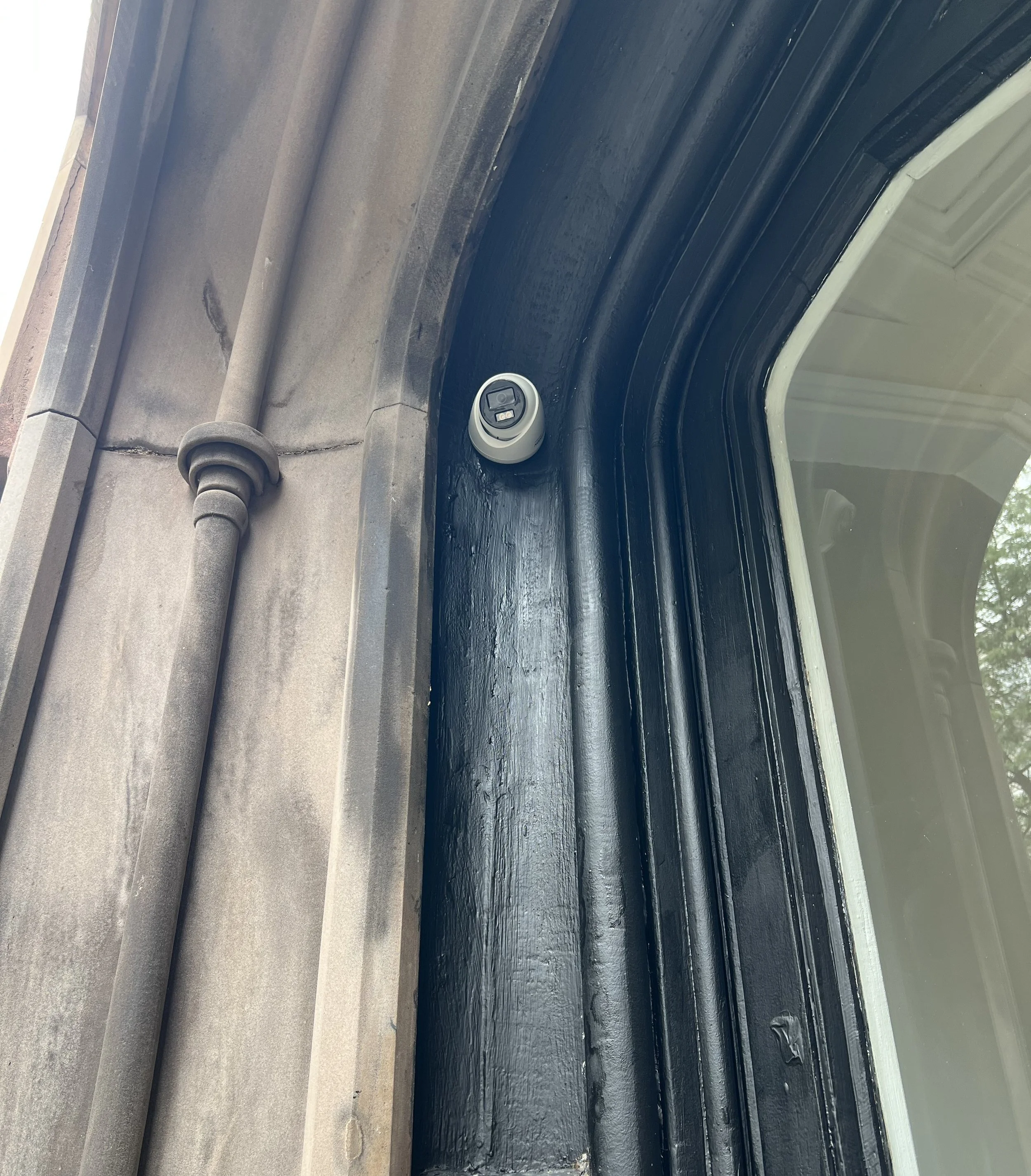
Recent Security Camera Installations in Queens
Real security camera projects completed for co-ops, condos, and commercial properties across Queens.


Request Security Camera Installation in Queens
Send us the property address, proposed camera locations, approximate camera count, and photographs of the property or existing equipment when available.
We'll review your requirements, discuss suitable options, and explain the next steps toward a written installation proposal.
CALL
BOOK ONLINE
SERVICE AREA
Manhattan • Brooklyn • Queens