

Cloud Access · Smart Readers · Mobile Pass · Door Station
Brivo Access Control Installer NYC
Professional Brivo Cloud Access Control Installation, Upgrades & Troubleshooting
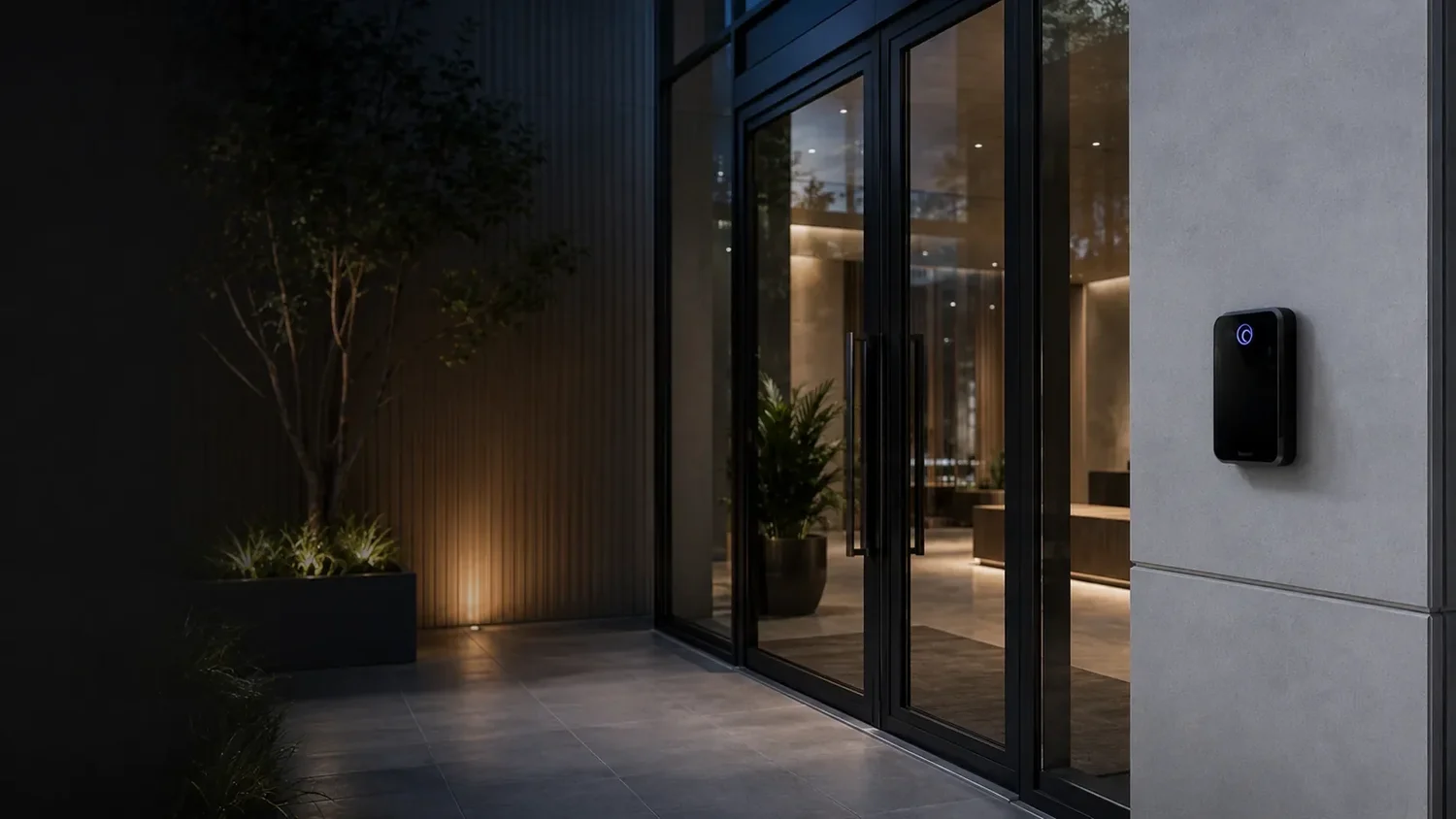
Brivo access control installation, replacement, and troubleshooting for apartment buildings, co-ops, condos, offices, retail spaces, and commercial properties throughout Manhattan, Brooklyn, and Queens.
Brivo is a cloud-managed access control platform that allows authorized property managers and business owners to administer doors, credentials, access schedules, and supported security events from a centralized interface. Depending on the selected equipment, Brivo supports key cards, key fobs, smartphone credentials, PIN codes, and integration with compatible security systems.
Whether you’re upgrading an outdated card access system, adding electronic entry to a commercial door, or managing access across several buildings, we help evaluate an appropriate Brivo configuration.
Why Brivo
Why Choose Brivo Access Control?
Brivo is a professional access control platform designed for properties that need flexible credential management and centralized administration. Unlike a basic standalone keypad, Brivo connects compatible door controllers to a cloud-based management environment, so authorized administrators can manage settings and permissions without maintaining a traditional on-site access control server.
Cloud Administration
Credentials, permissions, schedules, and access events are managed from a web and mobile interface instead of a local server.
Available features depend on the software edition and equipment.
Key Card, Key Fob and Mobile Access
A building may let residents or employees enter with compatible cards or fobs while providing smartphone credentials to selected users. Some readers also support PIN entry.
The right combination depends on reader compatibility, required security level, user preferences, and licensing.
Centralized Management for Multiple Buildings
A company managing properties in Manhattan, Brooklyn, and Queens can keep central control over staff access while assigning different permissions at each location, without visiting every building for routine user changes.
Compatible Security Integrations
Brivo offers integrations with selected video surveillance platforms, identity management systems, visitor management tools, property management software, and wireless locks.
Integration availability depends on the equipment, software edition, subscriptions, and feature requirements. We verify compatibility before including any integration in a proposal.
Hardware & Software
Brivo Access Control Equipment We Install
A complete Brivo installation involves more than a reader at the door. Each project combines cloud software, controllers, readers, locking hardware, power, and network connectivity.
What Every Controlled Door Needs
- A compatible Brivo controller or panel
- A reader (or a Door Station)
- Electric locking hardware suited to the opening
- Power supplies, with backup where required
- Door position and request-to-exit devices where used
- Network connectivity for the controller
- A Brivo software subscription
Requires notes on each card below show what goes beyond the standard equipment.
Brivo Access & Security Suite
Brivo Access is the cloud-based platform used with compatible Brivo controllers and devices; Brivo markets its broader offering as Brivo Security Suite. It is sold in Standard, Professional, Enterprise, and Multifamily editions.
Depending on the edition- Door and credential management
- Access schedules
- User groups and permissions
- Device monitoring and reporting
- Remote and multi-property administration
- Mobile credentials
- Selected video and identity integrations
Not every feature is included in every edition. Some are paid add-ons.
Requires: a recurring Brivo software subscription.
Brivo ACS300
The Brivo ACS300 is a compact, two-door access controller supporting Ethernet, Wi-Fi, PoE+ and compatible access readers (up to two, using Wiegand or OSDP). It supports Brivo Mobile Pass credentials when configured with suitable reader hardware.
Typical uses- One or two controlled doors
- Perimeter or remote doors
- Smaller sites that may add controllers later
Several ACS300 panels can be managed from one Brivo account; controller count should match the door layout.
Requires: a compatible access reader at each controlled door, plus locking hardware, power, and network connectivity.
Brivo ACS6000 / ACS6100
ACS6100 panels use the ACS6000 main board with ACS6100 door and input/output expansion boards. Brivo lists capacity for up to 30 card readers per control panel, with Wiegand and OSDP reader support.
May suit properties needing- Many controlled doors in one panel location
- Additional readers and monitored inputs
- Expansion as the property grows
- Supported wireless lock integrations
Selection should consider the actual door count, reader interfaces, power, wiring, and future expansion.
Requires: expansion boards, enclosure and power supplies sized for the doors served.
Brivo Smart Readers
Brivo offers mullion readers for narrow frames, single-gang wall readers, and keypad readers. They support encrypted Brivo Mobile Pass credentials and encrypted 13.56 MHz smart cards; selected models also read legacy 125 kHz proximity cards to support a gradual migration.
Reader selection depends on- Door frame and mounting location
- Weather exposure
- Required credentials
- Whether PIN entry is needed
Brivo Smart Readers support OSDP for encrypted reader-to-controller communication.
Brivo Mobile Pass
Mobile Pass lets authorized users open compatible doors with a supported smartphone. With a Bluetooth-enabled Brivo reader, Brivo documents that Mobile Pass can open doors even where the phone has no wireless connectivity. Wallet-based credentials use NFC where Brivo Wallet Pass is deployed.
Brivo’s current published edition information lists 5 Mobile Passes with Standard, 500 with Professional, and 1,000 with Enterprise, with additional passes available for purchase. Allowances and pricing are set by Brivo and may change.
Requires: a compatible reader and the Mobile Pass allowance or add-on; Brivo Wallet Pass is an add-on.
Brivo Door Station
An all-in-one reader with video capture of access events, optional facial authentication, and a video intercom for seeing and speaking with visitors. It reads Brivo Unified Credential cards and fobs and Brivo Mobile Pass.
Other credentials, such as legacy proximity cards or wallet credentials, need a second reader at the door. A Door Station is not a replacement for a full multi-tenant apartment intercom.
Requires: Brivo’s hardware-as-a-service subscription and setup fee, Cat6 and OSDP cabling, and a compatible controller (intercom is not available with the ACS100).
Cloud Management
Cloud Administration and Access Schedules
Brivo is administered through its cloud platform, while compatible door controllers make access decisions at the door. This lets authorized managers make changes remotely instead of reprogramming equipment on site.
- Add and deactivate user credentials
- Assign access permissions and user groups
- Create door and holiday schedules
- Review access events and reports
- Monitor supported device status
- Unlock compatible doors remotely
- Manage multiple properties from one account
How Changes Reach the Door
When a controller is online, Brivo states that credential changes begin downloading within seconds and are typically active in about a minute, depending on the number of credentials and the panel’s internet connection.
Brivo’s current edition information lists administrator limits of up to 10 on Standard, up to 30 on Professional, and unlimited on Enterprise, with additional administrators available for purchase on Standard and Professional. These limits are set by Brivo and may change.
For property management companies, this is often the main reason to choose a cloud platform: routine user changes no longer require a site visit.
Apartment Buildings
Brivo Access Control for NYC Apartment Buildings
Apartment buildings often need to manage access for residents, employees, contractors, and authorized service providers. Brivo can provide an electronic alternative to relying only on mechanical keys for suitable common-area entrances.
Key Fob Access for Residents
Residents can enter designated doors with key fobs or access cards. When a fob is lost or a resident moves out, management can revoke that credential without changing the building’s lock cylinders.
Management should still control physical keys and any other entry methods.
Building Entrance Access
Depending on the door configuration- Main and secondary entrances
- Building amenities
- Bike and shared storage rooms
- Package rooms
- Authorized staff entrances
Each controlled door needs suitable locking hardware and the required electronic equipment.
Property Management Access
For buildings with frequent resident changes, centralized administration simplifies issuing and revoking credentials, and managers can assign users to different doors and schedules where supported. Brivo also offers a Multifamily edition and integrations with property management software such as Entrata and RealPage.
Co-op and Condo Considerations
Questions boards should ask- Will residents use cards, fobs, or smartphones?
- Are alternative credentials available?
- What software subscription is required?
- Can existing door hardware be reused?
- Who will administer resident accounts?
- What happens during network and power failures?
- Is a separate video intercom required?
- Which amenities need independent permissions?
Brivo can suit many residential applications, but the system should be designed around the building’s actual requirements.
Commercial
Brivo Access Control for Commercial Offices
Commercial properties often need more flexible permissions than residential buildings, with different access levels by department, working hours, or location. Brivo supports this through compatible controllers, credentials, and management software.
Employee Access Management
Depending on the configuration, administrators can- Assign credentials to employees
- Restrict access to selected areas
- Create access schedules
- Remove access when staff leave
- Manage temporary personnel
- Review supported access events
This reduces the inconvenience of managing large numbers of mechanical keys.
Multiple Office Locations
Centralized management lets appropriate administrators maintain access policies across several sites while assigning different permissions at each one.
Professional and Medical Offices
A compatible system can control entrances to offices, administrative areas, storage rooms, and other appropriate spaces.
Access control equipment alone does not establish compliance with every applicable privacy, safety, or industry requirement.
Retail and Warehouse Properties
- Retail stockroom access
- Employee entrances
- Warehouse doors
- Authorized delivery access
- Commercial service areas
- Restricted storage spaces
Credentials
Brivo Key Cards, Key Fobs and Mobile Credentials
The credential technology should match the building’s users and security requirements. Many properties use a combination.
Key Cards
Electronic access cards are common in offices and commercial properties, and each card can be assigned to an individual and revoked when no longer authorized.
Card technology matters: older 125 kHz proximity credentials are not encrypted and may be easier to duplicate than encrypted 13.56 MHz smart cards.
Key Fobs
Compact physical credentials that suit residential buildings, shared offices, and other properties where users prefer something on a keyring.
As with cards, the reader and credential format must be compatible.
Smartphone Credentials
Brivo Mobile Pass lets users unlock compatible doors from a smartphone. Available methods depend on the reader, the pass type, and licensing.
Mobile Pass quantities are limited by edition, and Brivo Wallet Pass is an add-on. Not every mobile credential behaves identically during internet outages.
PIN Codes
Compatible Brivo keypad readers support assigned PINs, which can be useful for certain entrances or as a second factor.
Management should plan how codes are issued, changed, and revoked.
Retrofits
Can Brivo Work With Existing Door Hardware?
Sometimes. An access control upgrade does not necessarily require replacing every lock or electric strike. Suitable existing components may be reusable if they meet the new system’s requirements.
Equipment That May Be Reusable
- Existing electric strikes
- Compatible electrified locksets
- Certain access readers
- Suitable low-voltage wiring
- Door position switches
- Compatible power supplies
- Existing cable pathways
- Selected credential formats
Electrical specifications, condition, manufacturer support, and compatibility must be verified.
What About Existing Card Readers?
Older readers often use Wiegand, while modern systems can use OSDP. Brivo controllers support both, but not every existing reader can be reused with every controller. For new work, OSDP and encrypted credentials are worth considering, and legacy reader reuse should not compromise the project’s security goals.
What About Electric Strikes and Magnetic Locks?
An electric strike, electrified mortise lock, and magnetic lock are not interchangeable. Required emergency egress, fire-rated openings, door construction, and power-loss operation must be evaluated, and a properly selected system should maintain lawful exit from the building.
Locksmith and Door Hardware Services NYCOffline Operation
Does Brivo Work During an Internet Outage?
This is one of the most important questions to ask before installing cloud access control. Brivo access control does not necessarily stop working when internet service is interrupted. Compatible Brivo controllers store synchronized credentials and access rules locally, so supported access decisions can continue while the controller cannot reach the cloud. The behavior depends on the controller, credential type, and configured services.
What Can Continue Working
Depending on the configuration- Previously synchronized credentials may remain valid
- Compatible readers keep communicating with their controllers
- Controllers keep making local access decisions
- Supported events can be stored for later synchronization
- Bluetooth Mobile Pass at Brivo readers, which Brivo documents as working without wireless connectivity at the location
What May Be Unavailable
- Remote management
- Certain mobile credential functions
- New credential synchronization
- Changes to access permissions
- Real-time cloud status
- Certain integrations
For example, Brivo notes that unlocking certain offline Allegion locks through Mobile Pass needs internet on the phone unless Allegion Mobile Credentials are added.
Cellular Backup Options
Brivo offers cellular connectivity options for selected controllers. When properly configured, they can provide another communication path if the building’s internet connection fails.
Requires: compatible cellular hardware and a cellular service plan, which should be listed in the proposal.
Fees
Does Brivo Require a Monthly Subscription?
Yes. Brivo Access is a cloud-managed platform and requires recurring software licensing.
Charges depend on the edition, the number of doors, credentials, and optional services. Brivo offers Standard, Professional, Enterprise, and Multifamily editions, and features and included allowances vary by edition. Some features included in higher editions are paid add-ons in others.
What can affect recurring costs- Cloud access control software
- Number of controlled doors
- Additional administrators
- Mobile Pass quantities
- Brivo Wallet Pass and other mobile credentials
- Advanced reporting and visitor management
- Additional integrations
- Video services, such as Eagle Eye Networks subscriptions
- Brivo Door Station hardware-as-a-service
- Cellular backup connectivity
Are Mobile Credentials Included?
Brivo’s current published edition information lists 5 Mobile Passes with Standard, 500 with Professional, and 1,000 with Enterprise, with additional passes available for any edition. Brivo Wallet Pass, Allegion Mobile Credentials, and HID Mobile Credentials are listed as add-ons.
These allowances, add-ons and prices are set by Brivo and may change. We confirm the current terms in each proposal rather than assuming unlimited smartphone credentials are included.
Why Compare Long-Term Costs?
For a cloud-managed system, equipment is only part of the total cost. A useful proposal should itemize hardware, installation labor, software subscriptions, mobile credential charges, optional add-ons, recurring connectivity, and support arrangements.
Integrations
Brivo Camera and Intercom Integrations
Access control, security cameras, and video intercoms each serve a different purpose. Some properties benefit from connecting them, but integration depends on the specific platforms, software edition, and licensing.
Brivo and Security Camera Integration
Brivo supports selected video integrations, including Eagle Eye Networks, which requires its own subscriptions. Depending on the edition and integration, management may view related access events and camera footage together.
An access event shows which credential was used at a reader; a matching recording adds visual context. It does not prove the credential holder entered, because someone may follow another person through an open door.
Does Brivo work with every camera system? No. Video integration depends on the supported manufacturer, platform, edition, licensing, and installation requirements. We can review whether existing cameras support a suitable integration.
Security Camera Installation NYCBrivo With Apartment Video Intercom Systems
Brivo can manage resident and staff credentials at an entrance, while a video intercom lets visitors contact residents or staff and request entry. For many buildings, both systems are appropriate.
Can Brivo work with ButterflyMX or 2N? Potentially, through compatible door-release interfaces or supported third-party integrations. Brivo has announced a 2N video intercom integration for Europe, so availability for a New York project must be confirmed. A connection does not guarantee one shared resident database, dashboard, or event report.
When is a separate intercom necessary? An apartment building may still need visitor communication after credential access is installed. We recommend evaluating visitor calling, resident credentials, entrance hardware, and management requirements together.
Intercom Installation NYCCompare
Brivo vs. UniFi Access
Brivo is one of several professional access control options for New York City properties. The best platform depends on the building and its operating needs.
Brivo
Cloud-managed access control with Brivo controllers, readers, and editions for commercial, enterprise, and multifamily properties. Worth considering for multi-site administration and supported enterprise and property-management integrations.
Software: recurring Brivo subscription by edition and doors.
Brivo vs. UniFi Access
UniFi Access is part of the Ubiquiti ecosystem and is described by Ubiquiti as license-free. It may suit properties already using UniFi networking or cameras that want to avoid recurring access control software fees. Brivo may be preferable when a property needs Brivo’s cloud features, supported enterprise integrations, and multi-location administration.
UniFi Access installationFor more guidance, read our Commercial Access Control Buyer’s Guide.
Pricing
How Much Does Brivo Installation Cost in NYC?
Brivo installation pricing depends on the property’s infrastructure and required equipment. A single commercial entrance costs differently from a residential building with multiple controlled doors and centralized management.
Main Cost Factors
- Number of controlled doors
- Reader types and credential technologies
- Controller capacity and expansion equipment
- Existing door hardware compatibility
- Required electric strikes or electrified locks
- New cabling and cable pathways
- Power supplies and backup equipment
- Network infrastructure
- Required integrations
- Programming and testing
- Cloud software subscriptions
Can Existing Equipment Reduce Installation Costs?
Sometimes. Compatible existing hardware or wiring may reduce new installation work, but every component should be evaluated before it is included in the final design.
Are There Additional Software Fees?
Yes. Brivo’s cloud platform involves recurring licensing, and additional credentials, reporting features, integrations, or services can affect ongoing costs. See the subscription section above for what to compare.
Our recommendation: compare itemized proposals based on the same doors, credentials, hardware, and required features.
Service & Repair
Brivo Access Control Repair and Troubleshooting NYC
Already have a Brivo access control system that’s not operating correctly? Impera Security Systems provides troubleshooting for compatible access control equipment and associated door hardware.
- Card readers not recognizing credentials
- Doors that do not unlock
- Electric strikes failing
- Power supply problems
- Controller connectivity issues
- Damaged reader wiring
- Door position problems
- Mobile credential difficulties
- Access schedule configuration problems
- Hardware that no longer operates reliably
Repair or Replace?
We evaluate the reported problem and recommend an appropriate repair or replacement approach.
Some cloud account, licensing, or software issues require authorized administrative access or coordination with Brivo support.
Visit our Access Control Repair NYC pageWhy Impera
Why Choose Impera Security Systems for Brivo Installation?
Impera Security Systems provides professional electronic security, access control, and entrance hardware services throughout New York City. We work with apartment building owners, property management companies, co-op and condo boards, commercial offices, and businesses.
- Brivo cloud access control installation
- Access controller and reader installation
- Key card and key fob systems
- Mobile credential configuration
- Door access schedules
- Electric strike and door hardware integration
- Low-voltage wiring
- Network connectivity setup
- Existing access control upgrades
- Troubleshooting and repairs
The Whole Door, Not Just the Reader
We evaluate the complete door-entry system, including both electronic equipment and mechanical locking hardware.
Rather than recommending one manufacturer for every project, we compare suitable options based on the property’s needs and budget.
Reviews
What Our Clients Say
Trusted by property owners, managers, and businesses across NYC.
“I’ve dealt with a few security companies before and none of them were as responsive as Impera. They answered every question, gave honest recommendations, and didn’t try to upsell me. The access control system they installed for our office has been flawless.”
“We hired Impera security to upgrade the intercom and add cameras to our small apartment building. The tenants love the new system and the installation was done with almost no disruption. Great experience all around.”
“Impera locksmith was a pleasure to work with. They repaired an older street door to work with our intercom and were extremely patient with all of my questions and scheduling issues. Will certainly use them again.”
FAQ
Frequently Asked Questions
Have a question about Brivo access control? Call us at (347) 679-8383 or Contact Us.
Who installs Brivo access control systems in NYC?
Impera Security Systems provides Brivo access control installation, replacement, and troubleshooting services throughout Manhattan, Brooklyn, and Queens.
Is Brivo a cloud-based access control system?
Yes. Brivo offers cloud-based administration with compatible local door controllers that process access decisions.
Does Brivo require a subscription?
Brivo Access generally requires recurring software licensing. The applicable price depends on the selected edition, doors, and required features.
Can residents or employees use key fobs?
Yes. Brivo supports compatible RFID cards, key fobs, mobile credentials, and other selected access methods.
Does Brivo support smartphone access?
Yes. Compatible Brivo readers and mobile credential services support smartphone-based entry. Available features and licensing vary.
Does Brivo work without internet?
Compatible controllers can continue processing previously synchronized credentials and rules locally during internet interruptions. Cloud-dependent functions may be unavailable until connectivity returns.
What happens if Brivo loses power?
Equipment behavior depends on backup power and locking hardware. Required emergency egress must remain compliant with applicable regulations.
Can Brivo use existing electric strikes?
Sometimes. Existing electric strikes can be reused if compatible, properly functioning, and suitable for the proposed access control arrangement.
Can existing access readers be reused?
Possibly. Reader communication protocols, power, credentials, controller compatibility, and security requirements must be checked.
Can Brivo manage multiple buildings?
Yes. Brivo supports centralized management of compatible sites and user permissions, subject to the selected edition and configuration.
Does Brivo work with security cameras?
Brivo supports integrations with selected video systems. Compatibility, available functions, and additional subscription fees depend on the specific platforms.
Can Brivo integrate with apartment intercom systems?
Certain arrangements are possible, but direct software integration is not guaranteed for every intercom model. The required visitor entry and access control functions should be evaluated before installation.
Is Brivo suitable for glass doors?
It may be. Glass doors can require specialized locking hardware, mounting arrangements, and emergency egress considerations. A door-specific assessment is necessary.
How long does Brivo installation take?
The schedule depends on the number of doors, wiring, controllers, hardware, programming, and building access conditions. A project-specific timeline is established after reviewing the scope.
Can Impera troubleshoot an existing Brivo system?
We provide troubleshooting for compatible Brivo controllers, readers, networking, power supplies, and door hardware, subject to necessary system access and manufacturer support requirements.
How It Works
How Our Brivo Installation Process Works
Every property has different access requirements, but a typical installation follows several stages.
Review the Property Requirements
We discuss the number of doors, required credentials, existing equipment, and management goals. Photographs and basic building information help us evaluate the project.
Evaluate Existing Door Hardware
We review the relevant doors and locking hardware, including locks and electric strikes, frames and mounting locations, closers, readers, available wiring, power supplies, door position devices, and required emergency egress.
Select Equipment and Licensing
The proposal identifies Brivo controllers, card and mobile readers, electric locking hardware, power supplies, network connectivity, required software subscriptions, and any supported integrations, with the relevant recurring expenses.
Installation
Mounting readers, installing controllers, connecting locks, running cables, and configuring network connectivity.
Configuration
We configure supported access permissions, schedules, and authorized system users according to the agreed scope.
Testing and Handover
We test card and fob access, mobile credentials, door release, schedules, permissions, controller connectivity, supported monitoring, and power and internet interruption behavior where included. Management receives operating instructions and training as specified in the proposal.
Get a Quote
Request a Brivo Access Control Installation Quote in NYC
Tell us about your project using the form. We'll review your request and contact you to discuss your needs and the next steps toward an installation quote.